
Building a professional website can feel like a monumental task. Between learning a complex platform, writing copy, sourcing images, and figuring out hosting, many small business owners and freelancers get stuck before they even start. Enter AI website builders like Durable, which promise to cut through the noise and deliver a complete site in seconds. But does it live up to the hype, and is it the right tool for your business? This comprehensive Durable AI review will walk you through its features, pricing, pros, cons, and top alternatives to give you the clarity you need to decide.

What Is Durable AI Website Builder?
Durable is an AI-powered website builder and business operating platform. Its core promise is straightforward: generate a complete, three-page website for your small business in about 30 seconds using artificial intelligence. Unlike traditional builders who start with a blank canvas or template, Durable asks for your business name, city, and industry, then uses AI to create a website complete with relevant text, images, and a basic structure.
Core Promise: A Website in 30 Seconds
The initial generation is incredibly fast. The AI pulls from industry standards and local data to draft service descriptions, an “About” section, and contact information. This is its primary differentiator—extreme speed to a first draft.
Who It’s Designed For (and Who It Might Not Be For)
Durable is built for solopreneurs, freelancers, and local service businesses (like plumbers, landscapers, personal trainers, and consultants) who need a simple, professional online presence quickly and without technical skills. It’s less ideal for businesses needing complex e-commerce, highly unique or brand-specific design, advanced blog ecosystems, or developers who want full code access.
Key Features and Benefits
Beyond the initial site generation, Durable packs several tools into one dashboard aimed at simplifying business operations.
- AI-Generated Site & Content: The flagship feature. You input basic details, and AI creates homepage, about, and contact pages with sector-specific copy.
- Built-In Business Tools Suite: After generation, you get access to a simple CRM for lead tracking, an invoicing tool, and basic business analytics. This “all-in-one” approach is a key selling point.
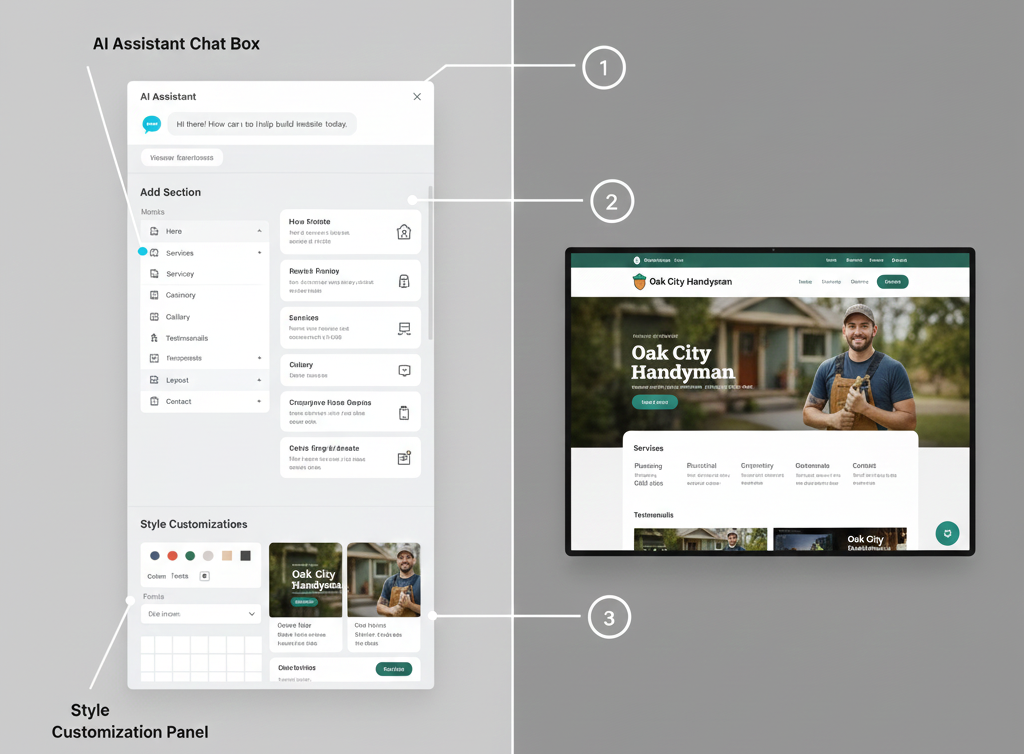
- AI Assistant for Ongoing Edits: Don’t like the generated text? An in-dashboard AI assistant can rewrite sections, generate new copy, or create AI stock images based on prompts.
- Template Library and Customization: You can switch your AI-generated site to any of Durable’s industry-specific templates. The editor uses a simple section-based drag-and-drop system for rearranging, styling, and adding new elements.
- Recognized Limitations and Trade-Offs: It’s crucial to understand that AI generation has limits. The initial copy can be generic and require heavy editing for brand voice. The design flexibility, while improved, is not as granular as platforms like Webflow or even Wix’s standard editor. You are working within Durable’s framework.
Pricing and Plans
As of April 2024, Durable operates on a tiered subscription model with a free trial. Always verify pricing on their official site.
- Starter Plan (~$15/month, billed annually): Includes the AI-generated website, basic customization, the AI assistant, and a limited suite of business tools. Suitable for a simple online brochure site.
- Pro Plan (~$25/month, billed annually): This is Durable’s most popular tier. It unlocks full customization, advanced business tools (CRM, invoicing), more AI credits, and the removal of Durable branding. Aimed at serious small businesses.
- Business Plan (~$35/month, billed annually): Adds priority support, enhanced analytics, and the ability to create multiple websites under one account, useful for freelancers or agencies managing a few client sites.
Value Analysis: The Pro Plan offers the best value for most users, as removing branding and accessing the full CRM/invoicing suite is essential for professional use. The free trial (no credit card required) lets you generate and explore a site, giving you a hands-on feel for the platform before committing.
How Durable Ai Works: A Step-by-Step Build
Let’s walk through the actual user journey to demystify the process.
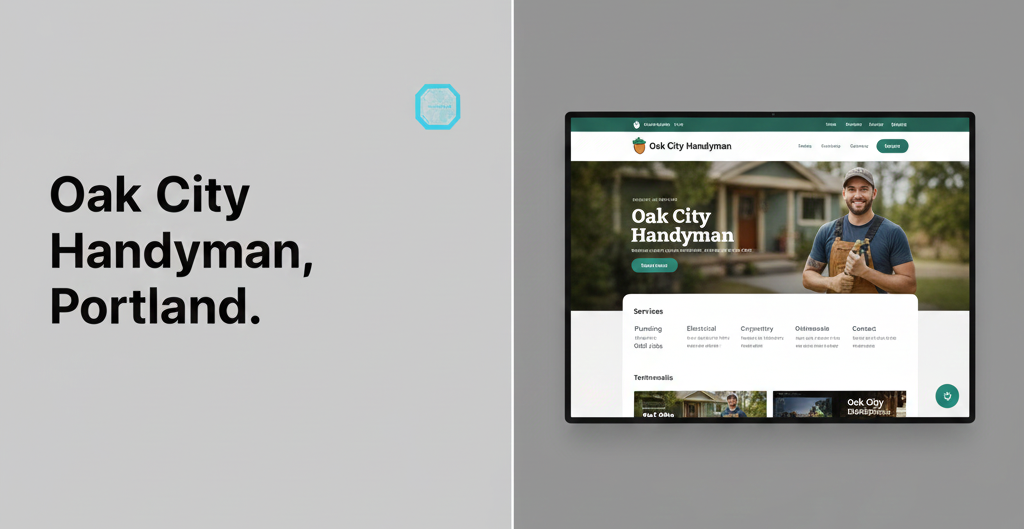
- From Prompt to Published Site: You go to Durable’s site, click “Try for Free,” and enter a business name (e.g., “Oak City Handyman”), a city, and select an industry category (e.g., “Home Repair”). About 30 seconds later, a full-color website appears.
- Customizing the AI’s Output: The editor opens. You’ll likely start by editing the AI-generated text using the built-in assistant (“Make this paragraph more concise,” “Write a catchier headline”). You can then swap images using the AI image generator or a stock library, change colors and fonts, and rearrange sections via drag-and-drop.
- Going Live: To publish, you need to upgrade from the trial. You can then connect a custom domain (purchased elsewhere or through Durable) directly in the dashboard. The publishing process itself is a one-click action.
Durable AI: Honest Pros and Cons
The Advantages
- Unmatched Speed to First Draft: For someone with website anxiety, getting something professional-looking in under a minute is a powerful confidence booster.
- All-in-One Business Suite: Having a simple CRM, invoicing, and a website in one place reduces context-switching and app subscriptions for micro-businesses.
- Remarkably Easy to Use: The interface is clean and intuitive. The AI assistant is well-integrated, making content edits less daunting for non-writers.
- Strong for Local Service Businesses: The AI is tuned to generate relevant, local-friendly content (e.g., “Serving the [City] area”) and sections like service areas.
The Drawbacks
- Design Flexibility is Constrained: While you can customize, you cannot create completely unique, complex layouts. You are largely modifying the sections and styles Durable provides.
- SEO Controls are Basic: You can edit page titles, meta descriptions, and URLs, and it generates basic schema. However, you lack advanced technical SEO controls (like editing robots.txt, implementing complex redirects, or minifying code).
- Risk of Generic AI “Voice”: The initial copy often sounds like other AI-generated text. Significant manual or AI-assisted editing is required to inject authentic brand personality.
- Platform Lock-in: You cannot export your site’s code or move it to another host. Your site lives on Durable’s platform as long as you subscribe.
Durable AI Website Builder vs. Top Alternatives
| Feature | Durable | Hostinger AI Website Builder | Wix ADI | CodeWP (WordPress AI) |
|---|---|---|---|---|
| Target User | Solopreneurs, local services needing speed + simple tools. | Beginners & small biz wanting AI + robust hosting. | Beginners wanting more design freedom post-AI. | WordPress users & developers wanting AI-assisted custom builds. |
| AI Setup Time | ~30 seconds | ~5 minutes | ~2 minutes | Varies (guides building) |
| Design Flexibility | Moderate (section-based) | Moderate (similar to Durable) | High (full Wix Editor after AI) | Maximum (builds on WordPress) |
| Blogging/SEO | Basic blog, core SEO | Basic blog, core SEO | Strong blog, good SEO apps | Unlimited (via WordPress plugins) |
| Pricing Notes | ~$25/mo for full features | Often bundled with hosting | ~$17/mo+ for removal of ads | SaaS + WordPress costs |
| Standout Feature | Built-in CRM & invoicing | AI + affordable hosting bundle | Seamless transition to powerful editor | Generates custom WordPress sites |
Verdict: Choose Durable AI Website Builder for speed and integrated tools. Choose Wix ADI if you think you’ll want more design complexity later. Choose CodeWP or similar if you are committed to the WordPress ecosystem and need maximum flexibility.
Who Is Durable Best For?
Ideal User Personas:
- The Time-Strapped Local Business Owner: A real estate agent, cleaner, or electrician who needs a site up yesterday to establish credibility and capture local leads.
- The New Freelancer: A writer, designer, or consultant launching their practice who needs a simple portfolio and contact hub quickly.
- The MVP Tester: An entrepreneur validating a business idea who needs a professional-looking landing page without investing significant time or money.
Common Use Cases:
- Creating a service area landing page.
- Building a simple online business card with contact forms.
- Setting up a basic site to support Google Business Profile listings.
Real-World Example: A Local Service Business Scenario
The Scenario: “Maya’s Mobile Dog Grooming” is starting in Austin, TX. Maya needs a website to appear professional, list her services/pricing, and allow customers to book consultations.
The Build with Durable:
- Maya enters her business name, “Austin,” and selects “Pet Care.” AI generates a site with hero images of dogs, services like “Bathing & Brushing,” and an “About the Groomer” section.
- She uses the AI assistant to rewrite the service descriptions to match her unique packages (“Pampered Pup Deluxe Bath”).
- She adds her phone number, replaces a generic image with one generated by AI for “mobile dog grooming van,” and connects her Google Calendar for the “Book Now” button via an integration.
- She upgrades to the Pro plan, connects her domain
mayasmobilegrooming.com, and publishes.
Outcome: In under two hours (mostly spent tweaking copy), Maya has a live, mobile-friendly site that helps her look established and captures leads. She uses the built-in CRM to track inquiries.
SEO Capabilities Snapshot
For most small businesses, Durable covers the SEO fundamentals adequately.
- On-Page Controls: You have direct access to edit page title tags, meta descriptions, header tags (H1, H2, etc.), and URL slugs—critical for targeting local keywords like “dog grooming austin.”
- Technical SEO: Durable claims fast hosting with a CDN. Sites are automatically responsive (mobile-friendly). It generates basic local business schema markup, which helps search engines understand your NAP (Name, Address, Phone) information.
- Blogging and Content: It includes a basic blogging module. You can create posts, categorize them, and use the AI assistant to help draft them. It’s functional for a simple content hub but lacks the advanced features of dedicated CMS platforms.
Frequently Asked Questions (FAQs)
Q: Can I try Durable for free?
A: Yes, Durable offers a free trial that does not require a credit card. You can generate and explore a website with some limitations (like Durable branding) before choosing a paid plan.
Q: Does Durable include hosting and a domain?
A: Yes, hosting is included on all paid plans. A custom domain (e.g., yourbusiness.com) is not included in the subscription price but can be purchased separately through Durable or connected from a third-party registrar like GoDaddy or Google Domains.
Q: How good is Durable’s AI-generated content for SEO?
A: The initial content is a starting point but is often generic. To rank well, you must edit it. Use the AI assistant to help optimize for specific keywords, add local details, and inject your unique value proposition. The ability to edit all on-page SEO elements (title, meta, headers) is key.
Q: What happens if I cancel my Durable subscription?
A: If you cancel, your website will go offline, and you will lose access to the editor and associated business tools. You cannot export your site’s code, as it is built on Durable’s proprietary platform.
Q: Is Durable good for e-commerce?
A: As of this review, Durable is not built for complex e-commerce. It focuses on service-based businesses. You can add simple payment buttons (e.g., via Stripe) for individual services or appointments, but it does not support full online storefronts with product catalogs, carts, and inventory management.
Q: How does Durable handle website backups?
A: Durable manages backups on its servers automatically. Users do not have a self-serve backup/restore portal. It’s recommended to contact their support for specific backup policies.
Conclusion and Next Steps
So, is Durable AI any good? The answer is a qualified yes—for its specific target audience. If you are a small business owner, freelancer, or solo founder who values speed and simplicity over granular control, and you want a presentable website with helpful business tools in one dashboard, Durable is an excellent, legitimate option.
Its true strength is eliminating the initial blank-page paralysis. The major trade-off is accepting its design and functionality boundaries. If your business vision requires a highly unique digital experience or you anticipate needing advanced features soon, a more flexible platform like Wix or WordPress might be a better long-term home.
The best next step is hands-on. Use the Durable AI Website Builder free trial—it takes less than a minute to see your AI-generated site. Tinker with the editor, test the AI assistant, and see if the interface feels intuitive. That firsthand experience, informed by the pros, cons, and comparisons above, will tell you if Durable is the right AI website builder for your business journey.
Visit Our Other Blog –
Agentic AI: A Practical Guide to Benefits, Use Cases, and Implementation
Napkin AI: Build Diagrams and Presentations Fast
Answer Engine Optimization (AEO): The 2025 Guide to Winning AI Citations